Creating Watercolor Images
Thank you so much for visiting! This post may contain affiliate links that I receive commissions from purchases made. Click HERE for my disclosure statement.
a
A behind the scenes look at how I create my watercolor images using nothing but my own words, and what I’ve learned about creativity, faith, and technology along the way.
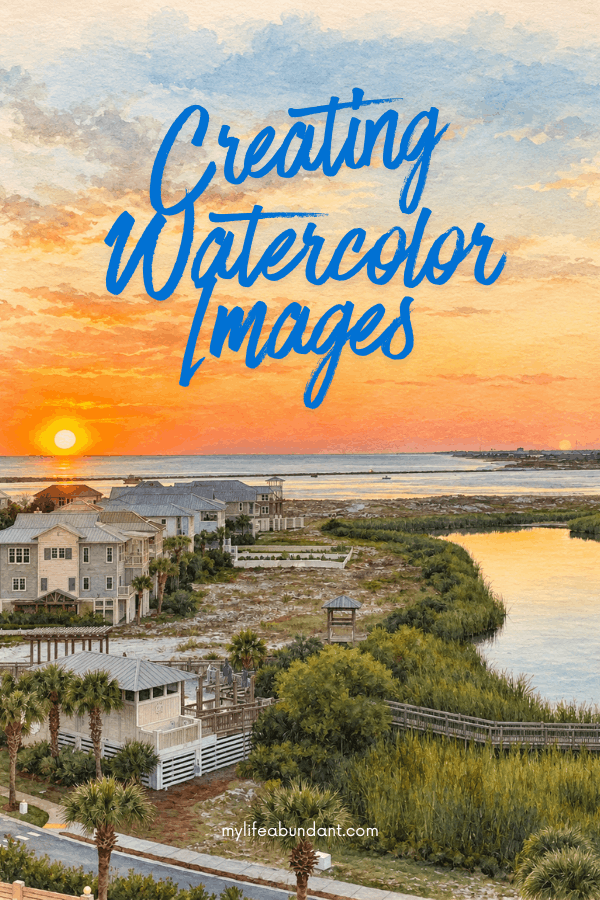
I’ve had so many of you ask about the watercolor images that have started popping up here on the blog and over on Instagram. What I’ve actually been doing is something that surprised me with how easy it is to make. I’ve been creating those watercolor images with ChatGPT, just by describing what I want in my own words.
I want to walk you through exactly how I do it, because a good chunk of you have asked, and I’d rather answer it once here than a dozen times in my inbox.

Why I Even Started Doing This
I’ve told y’all before that I consider myself a geeky boomer, and that’s not just a cute label I slap on for the blog. I genuinely love figuring out new technology, even when it makes my hands shake a little the first time I try it. When tools started showing up, I started experimenting with them. I could ignore the whole thing and hope it passed me by, or I could dig in and understand it for myself. Anybody who knows me knows which way I went.
Part of it was curiosity, plain and simple. Part of it was practical too. I’m one person running this blog, doing my own photography, writing my own posts, and keeping up a home and garden without a husband here to help me carry the load anymore. Watercolor images give me something pretty and soft to use in newsletters, seasonal graphics, and spots where a photo doesn’t quite fit the mood I’m going for. They fill a gap my camera can’t always fill, especially on days when the light isn’t right, or I just don’t have a fresh photo of what I want to show you.
I sit down, I think through what I want to create, and I ask for it with real intention. It’s become its own small creative practice.
The Tools I Actually Use
I lean on the paid version of ChatGPT for writing out my prompts, since that’s the assistant I already use for so much of my image blog work. I describe the scene I’m picturing in plain language. Sometimes I’ll say something like a pitcher full of flowers sitting on a table, soft morning light, loose and dreamy watercolor style. Other times my description gets a lot more specific, right down to the exact shade of blue I want on that pitcher or whether I want the background blurred or left plain.
From there, I take that prompt over to an image generation tool to actually produce the picture. I’ve played around with a few options, including Midjourney, Adobe Firefly, and the features built into Canva, and each one has its own personality when it comes to interpreting a prompt. What one tool renders as soft and painterly, another might make too sharp or too cartoonish, so I’ve learned which tool tends to give me the look I’m after for a given kind of image.
Every one of my watercolor images starts with pictures I have taken. Usually at home, of an actual vignette I’ve styled myself, a corner of my garden, or something sitting on my kitchen counter. I describe what’s really there and ask ChatGPT to reimagine it as a watercolor, rather than dreaming up something from nothing. That feels more honest to me, and it also tends to give me a result that looks more like my own style instead of something generic.
Why This Took Me Longer Than I Expected
I won’t sugarcoat it. This process took me a while to get comfortable with, and I’m still learning something new every time I sit down to make one. A prompt that gives me the exact soft, dreamy look I want for a bouquet of hydrangeas might completely fall apart when I try something similar for a porch scene or a stack of vintage books. Every image wants its own approach, and there isn’t one magic phrase that unlocks it every time.
I’ve kept a running list of prompts that worked well, sort of like a recipe box for pictures instead of food. When I find wording that gives me a result I love, I save it so I can reference the pattern later, even if I can’t copy it word for word onto a different subject. That habit alone has saved me a lot of frustration.
The other thing nobody tells you is how much back and forth is involved. My first attempt at an image is rarely my last. I’ll ask for softer colors, or fewer objects cluttering the scene, or a change in the background, and sometimes it takes four or five rounds before I land on something I’m happy sharing with you. I have also had ChatGPT take a photo and just clean it up. My camera doesn’t take a picture as well as I would like it to.
What I’ve Learned About Creativity and ChatGPT
Here’s the honest truth for me. The tool creates the image, but the idea, the styling, the colors I’m drawn to, and the feeling I want the picture to carry all of that still comes from me. I don’t think of this as art replacing my creativity. I think of it as a new brush in a toolbox I already had, sitting right next to my camera, my garden shears, and my thrift store finds.
I do think it’s fair for folks to have questions about this tool and where it fits in a creative life, and I’d never tell anyone they have to feel the same way I do about it. For me, learning to use these tools with intention has felt like something new rather than something to be afraid of.
I’ll also say plainly that these watercolor images aren’t replacing my real photography, and they never will. When I’m sharing a recipe, showing off a DIY project, or walking you through my garden, you’re getting my actual photos. The watercolor images are simply another way I get to be creative alongside all that.
Sometimes I just use ChatGPT to make my bad picture look better. Like the one above from my kitchen. The lighting was bad and made the picture too yellow. I asked ChatGPT to “clean up” my picture. And it did. Perfectly.
If You Want to Try This Yourself
If this has you curious about giving it a try, my best advice is to start specific rather than vague. Describe the subject, the colors you’re picturing, where things are placed, what the background looks like, and the overall mood you want the finished piece to have. Then expect to revise. Nobody gets it perfect on the first try, including me, and that’s more than okay.
Save the prompts that work for you, even the phrases within them, because over time you’ll start noticing which words and combinations tend to give you the results you love. And don’t be afraid to start with one of your own photos as your jumping-off point instead of trying to conjure something out of thin air. It tends to feel more personal, and it usually turns out better too.
I hope this gave you an honest look at how these images come together, and I hope it encourages a few of you who’ve been curious but haven’t known where to start. Learning something new at this stage of life is one of my favorite things, and I’d love to hear if any of you have tried something similar.
Have you played around with ChatGPT for your own blog, business, or just for fun? Tell me about it in the comments. I always love hearing what y’all are up to.
My craft favs
Check out some of my favorite craft items I use for projects.
subscribe
Sign up for our newsletter to receive recipes, gardening tips, decor ideas, travel, vintage galore, and more inspiration!
And don’t worry, we hate spam too! You can unsubscribe at any time, and your information will *never* be shared or sold to a 3rd party. Privacy Policy
Shop my Amazon Storefront, my LTK sources, my favorite finds, and garden supplies. If you have a fur baby, check out some of Dixie’s favorite items. When you purchase through one of my links, I earn a small commission, which helps me continue sharing the content you expect on my blog.
Tammy
I’m a country girl living my geeky boomer life, while figuring out widowhood. Between digging in the dirt, my camera, thrifting finds, and cooking, I’m a child of God walking this next chapter with Him leading the way.
Read more about me and check out my media kit. Our Privacy Policy
Ooh. I love these so much! They have such a soft, warm vibe. They’re absolutely amazing.
oh wow…These are stunning. I love the warm pastel colors, they’re really beautiful and very soothing.
These watercolour images are so pretty! I prefer images like this, as they add a little warmth to any home!
Lucy | http://www.lucymary.co.uk
These are amazing, I really should explore chatgpt as you have shown you can do so much with it. I do love these
Tammy, thank you for your explanation and perspective on creating watercolor images from your own photography. I love this look for graphics on newsletters and posts. I just started using Chat GPT for this. Claude is my blog assistant and he told me to use Chat. I’ve only done a few, and yes, it may take a few passes to get exactly what you want but it’s worth it. Much better results than the apps I’ve tried.
Thank you Carol for stopping by. I love experimenting with graphics and pictures too.
This post is so perfect for me as I have been wanting to learn to paint with watercolors and I am going to buy my mom a kit for Christmas. With an easel and everything….. I just love this!
These watercolors are so creative and pretty! My daughter is an artist and can paint these herself, but it’s nice that there are alternative tools to create art.
These really are stunning , I’ve always wanted to get into painting and water arts
I haven’t used AI to help me with my blog yet. I love the way you use it to create images for your blog.
Wow, these are beautiful! I honestly had no idea you could create things like this with ChatGPT. You’ve inspired me to explore the tool more and see what else I can create with it. There are so many possibilities, and now I’m curious to try them out myself! Thanks for sharing these tips!